
Ad Hoc Report Results
Topics covered in this article:
Report Results
Once you have run an Ad Hoc Report, the data will be displayed in a statement-by-statement format and grouped under each Statement Heading (if one was applied).
The results display the Count of how many clients met the criteria (Rules) for each statement and what Percentage of the Population this cohort equals compared to the Total Population.
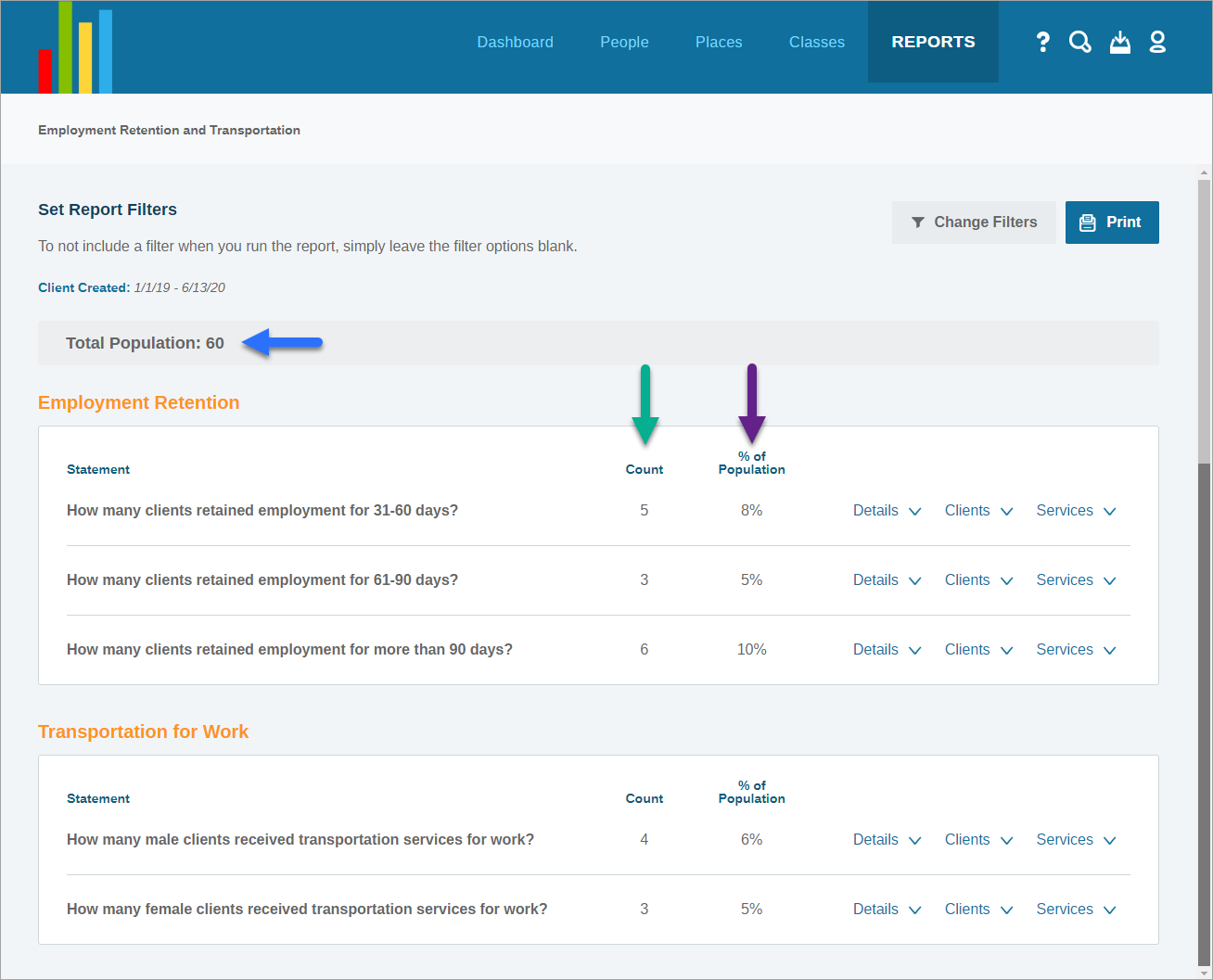
Statement and Client Data
There are three options to the right of each statement:
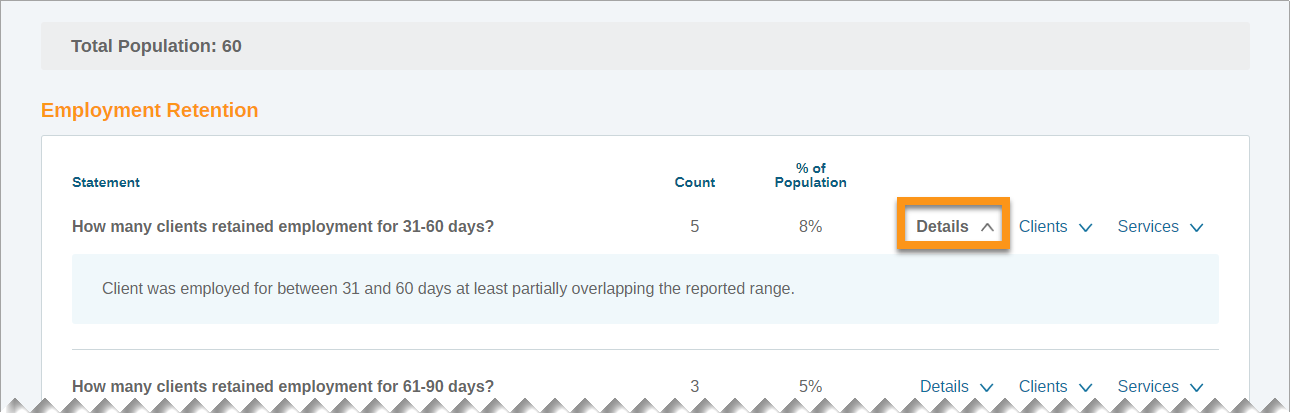
Details
Details displays the Rules that were applied to the Statement when building the Ad Hoc report.
back to Statement and Client Data back to top
Clients
Clients displays the client names, case number, the navigator who created their record, and the client's assigned navigators.
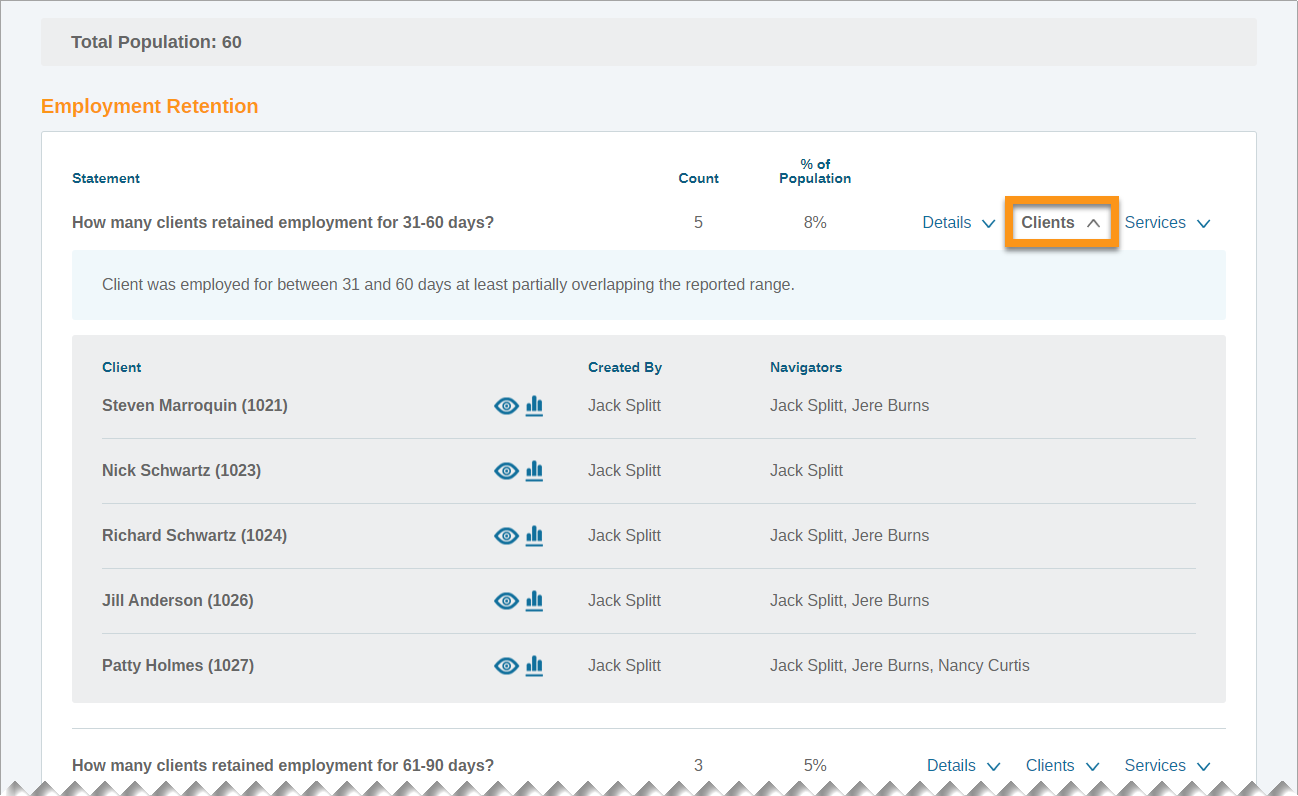
There are two ways to open client records from Ad Hoc Results:
- The
 eye icon will open the client record to the intake page in another tab
 - The
 histogram icon will open the client record to the Assessment History page in another tab
back to Statement and Client Data back to top
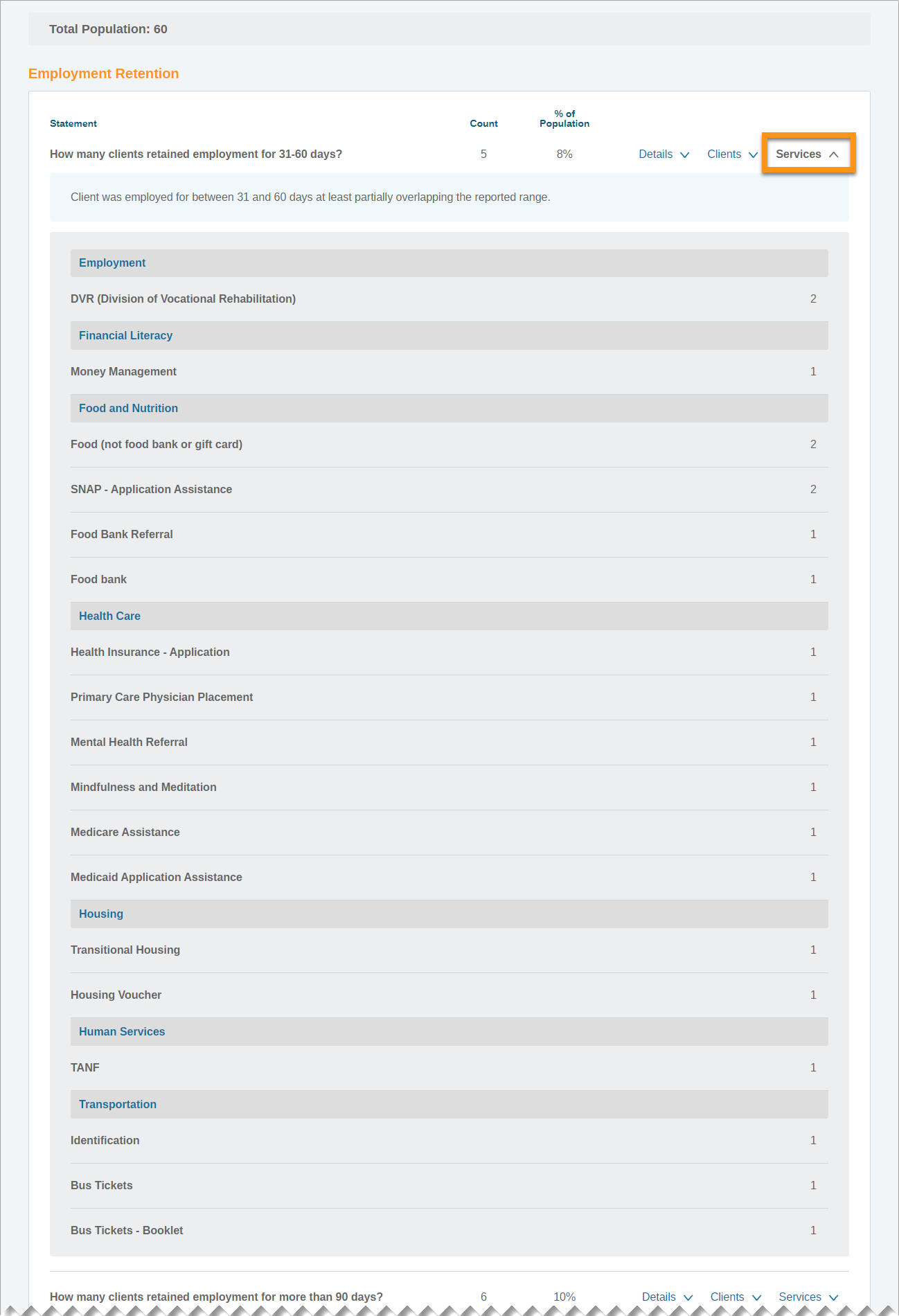
Services
Services display all services provided to the individuals returned for each statement are grouped by Domain.
Comments
0 comments
Please sign in to leave a comment.