
Duplicate Finder
The Duplicate Finder in eLogic Genesis prevents staff from creating duplicate records by alerting navigators of existing records that match the First and Last name upon new record creation.
When a new client is generated, whether from the People page or the Family feature, the system checks existing records and cross compares first and last name.
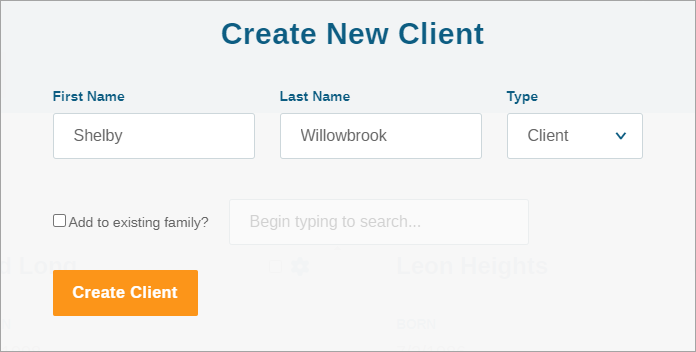
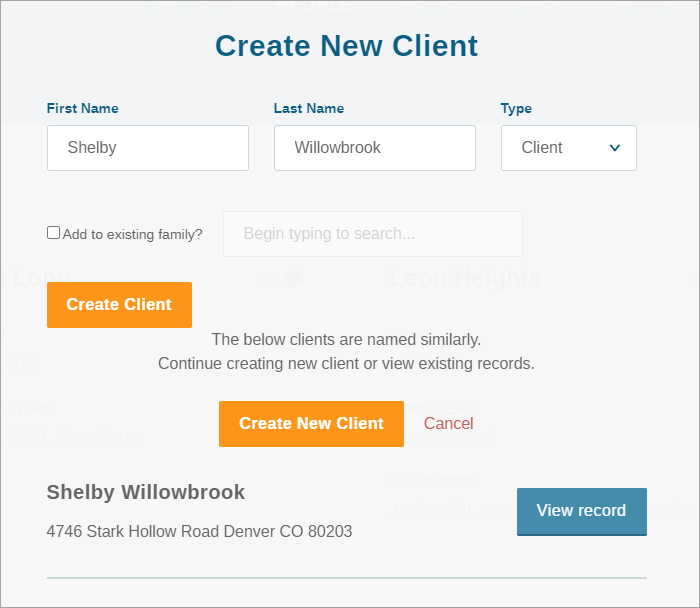
If a record with the same name is created, the existing record will appear and the navigator can determine if the new record they are creating does or does not belong to the same individual who is already in the system. The navigator can either abandon new profile creation in favor of the existing profile or proceed in creating the new client record.
Before creating a new client record, we strongly recommend you use the Global Search feature to see if the client is already in the system as the duplicate finder will not capture client records that have variations in name or spelling. Client records cannot be merged in eLogic Genesis so it is critical that duplicate client records be avoided.
Comments
0 comments
Please sign in to leave a comment.