
Budget - Standard User: Frequently Asked Questions and Troubleshooting Tips
- Why can't I edit the Employment Income Group?
- I get an error message when I click Save changes after removing an Income or Expense Type
- How can I view the client's Family Budget Totals?
- How can I enter multiple amounts for an Income or Expense Type?
- I am unable to edit or remove the Amount of an Income or Expense
- Do Work Log entries calculate into the client budget?
Why can't I edit the Employment Income Group?
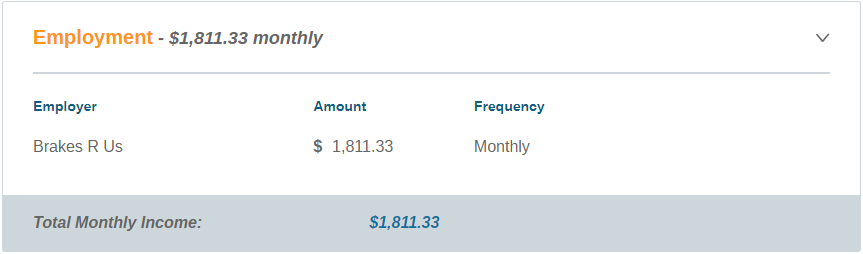
If your Agency Administrator has enabled the Count Employment Wage as Income feature, Employment Wage Information will automatically be pulled from all Current Employments entered under the Employment Tab to the client's Income. You must edit the Employment Wages in the applicable Employment to see the changes reflected in the Budget page.
Didn't answer your question? Contact Support back to top
I get an error message when I click Save changes after removing an Income or Expense Type
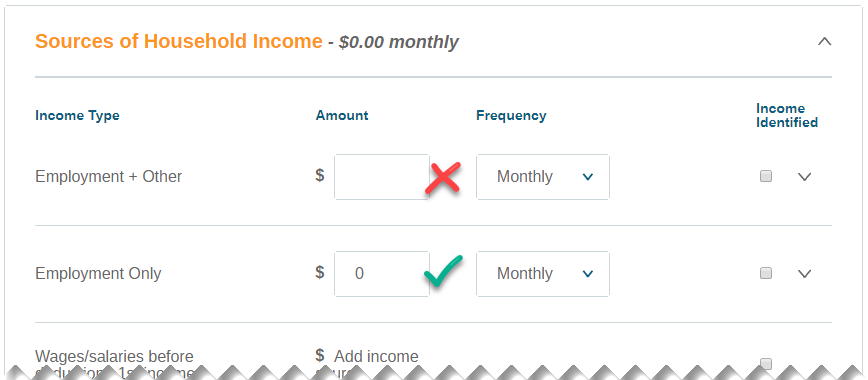
When removing an income or expense amount, remember to enter a zero as a placeholder. Leaving the Amount text field blank will cause a system error upon saving.
Didn't answer your question? Contact Support back to top
How can I view the client's Family Budget Totals?
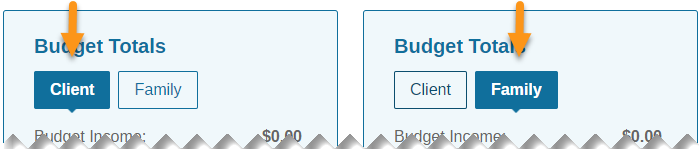
If the client record is connected to at least one other family member record via Family Management, the Budget Totals box will have two tabs available: Client and Family. Click either tab to view the client's individual budget totals or the entire family's budget totals. The amounts below will update accordingly.
Didn't answer your question? Contact Support back to top
How can I enter multiple amounts for an Income or Expense Type?
Locate the Income or Expense Type that has multiple amounts and click the down arrow to the far right.
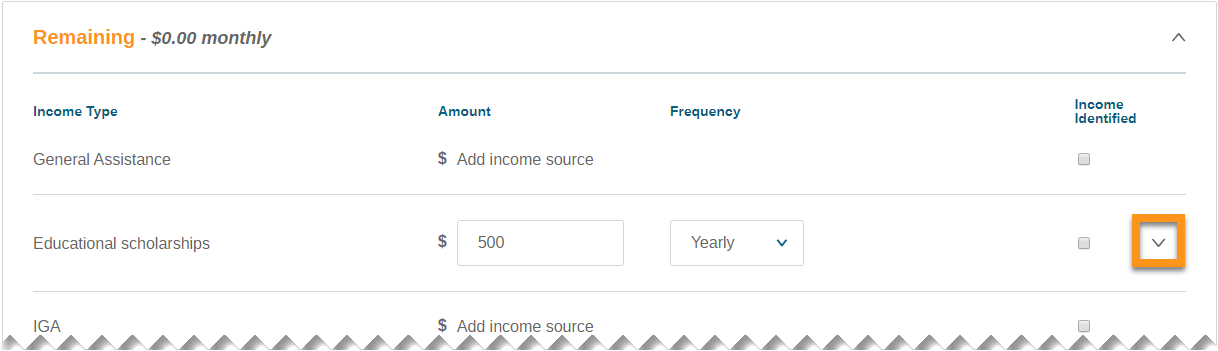
The area below will expand to reveal an Add income source link. Click Add income source...
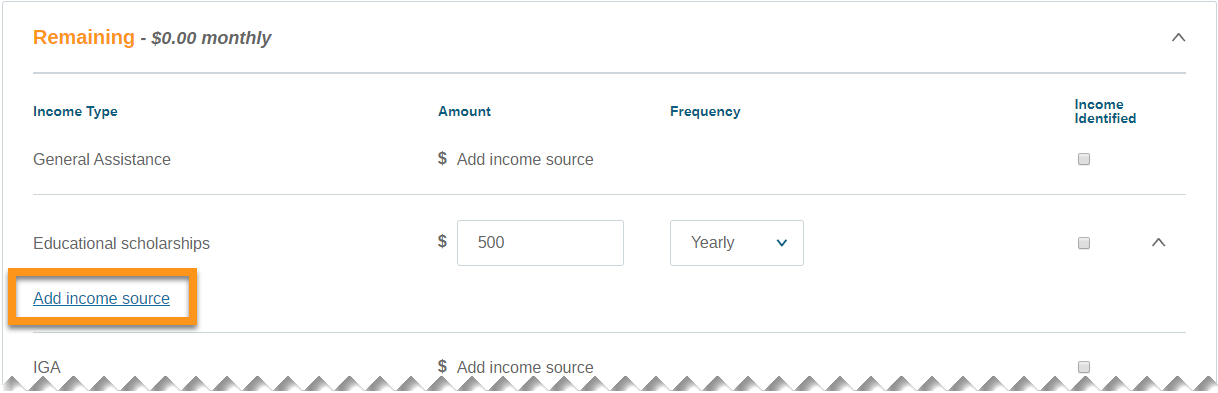
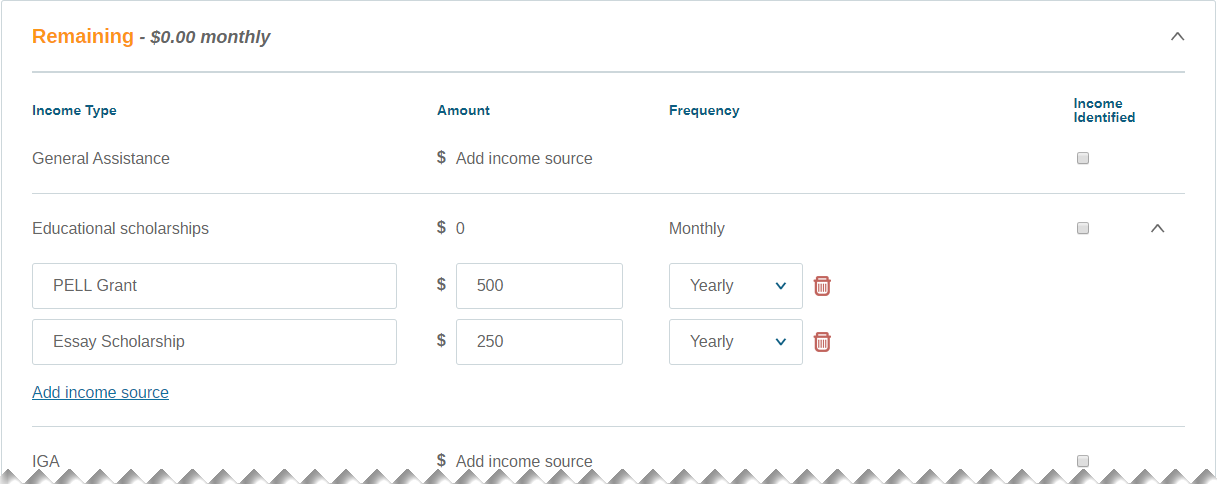
...and a new row will appear and the original amount will be shifted down. Enter names for the different income or expense types, enter or edit the Amount and Frequency as needed, then click Save changes above the Budget Totals box.
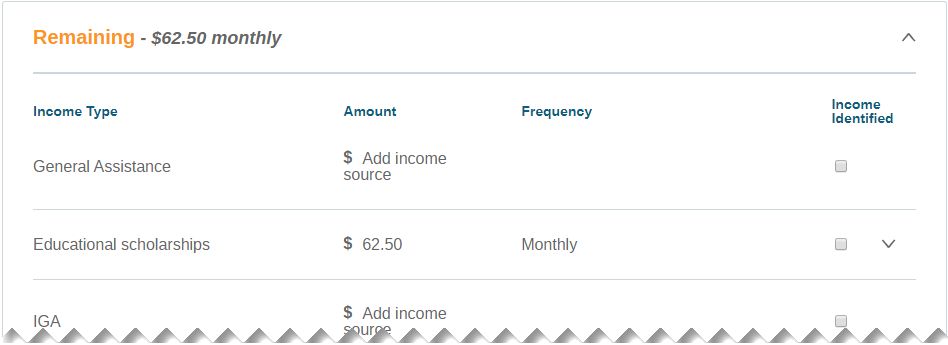
The collapsed Income or Expense Type will show the total Amount as averaged out on a Monthly basis. To edit, click the down arrow again to expand, make any necessary changes, then click Save changes.
Didn't answer your question? Contact Support back to top
I am unable to edit or remove the Amount of an Income or Expense
There can be two reasons why you are unable to edit or remove an Income or Expense Type amount from the client Budget.
- Income Types Only: If the Income Identified checkbox is selected, deselect it and you will be able to edit or remove the Amount. Make any necessary changes, then click Save changes.
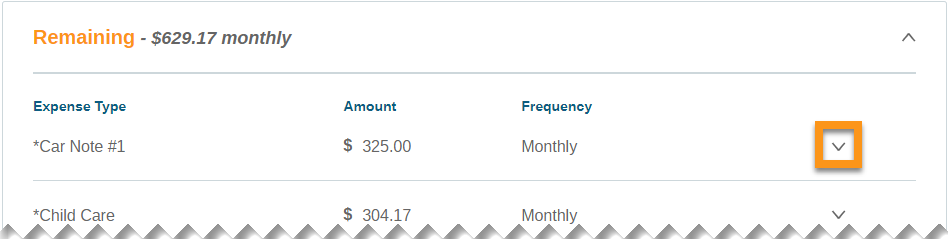
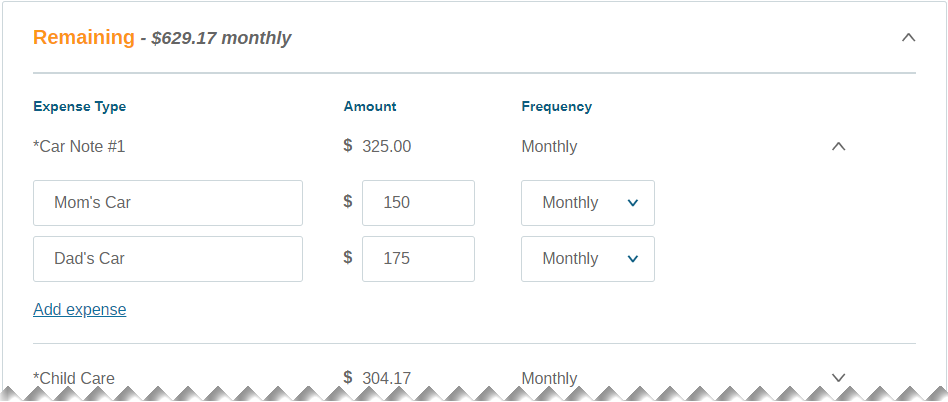
- Income or Expense Types: If the Income or Expense Type has a down arrow available to the far right, click it to expand to reveal multiple types. Make any necessary changes, then click Save changes.
Didn't answer your question? Contact Support back to top
Do Work Log entries calculate into the client budget?
Work Log entries are not calculated into the client Budget the same way that Employment wages can be. Work Log hours and income are typically not the same week-to-week, so adding recurring Work Log income to a Budget could artificially inflate or skew the client's Budget.
Didn't answer your question? Contact Support back to top
Comments
0 comments
Please sign in to leave a comment.